Concept – Deep Counting🔗
This chapter explains how to use Deep Counting.
Deep Counting is used to find objects in images and returns the number of objects.
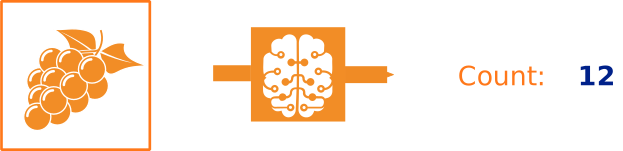
A possible example for a Deep Counting application: Objects in an image are counted and the object quantity is returned.
Deep Counting uses user-defined templates to prepare a Deep Counting model. This model can be used to count objects that resemble the templates.
The general workflow is described in the following section.
General Workflow🔗
This paragraph describes how to obtain the number from objects of a kind
in images using a Deep Counting model.
An application scenario can be seen in the HDevelop example
deep_counting_workflow.hdev
-
Create a Deep Counting model by using
-
Query the available DL devices for inference by using
-
Set the model parameters, the used devices or augmentation parameters for the templates using
-
Draw templates for the preparation of the model. This can be done using the procedure
draw_deep_counting_templates.
The drawn templates are needed for the operator
prepare_deep_counting_model. -
Prepare the model for the inference using
Note that when changing parameters that influence the template creation, or when other templates should be used,
prepare_deep_counting_modelmust be called again, before the model can be applied withapply_deep_counting_model. -
Apply the model using the operator
The result will be saved in
DeepCountingResult. -
Visualize the Deep Counting results from
DeepCountingResultusing the proceduredev_display_deep_counting_results.