Concept – Multi-View Stereo🔗
This chapter contains operators for multi-view 3D reconstruction.
Concept of Multi-view 3D Reconstruction🔗
With multi-view 3D reconstruction, it is possible to generate 3D objects using 2D images from multiple cameras. It is possible to reconstruct the complete 3D surface of an object, or single 3D points.
In the following, the steps that are required to reconstruct surfaces and
points are described briefly. Note that a well-calibrated camera setup
is the main requirement for a precise 3D reconstruction; see
Calibration for more details. Additionally, in the HDevelop
example reconstruct_surface_mixed_camera_types.hdev, a typical
calibration workflow (from the calibration data model via the camera setup
model to the stereo model) is performed.
-
Generate stereo model: First, create the stereo model using
If you want to reconstruct 3D points, choose the
Method'points_3d'.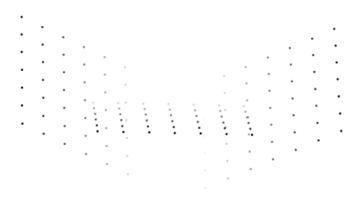
3D point reconstruction with 'points_3d'.
For the reconstruction of surfaces, the methods 'surface_pairwise' and 'surface_fusion' are available. For detailed information on these two methods, have a look at the reference manual entry of
reconstruct_surface_stereo.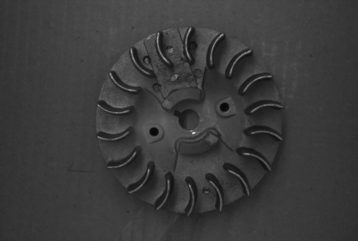
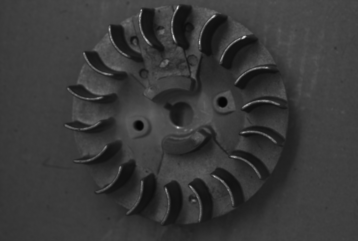
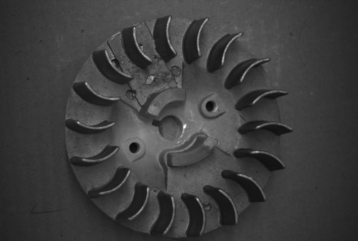
(1) (2) (3) These three 2D images are used for the surface reconstruction as seen in the images below.
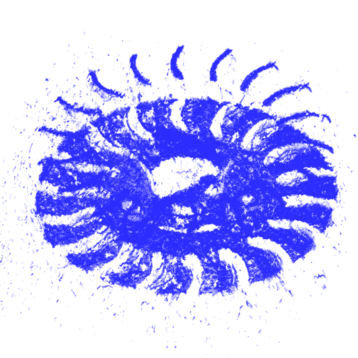
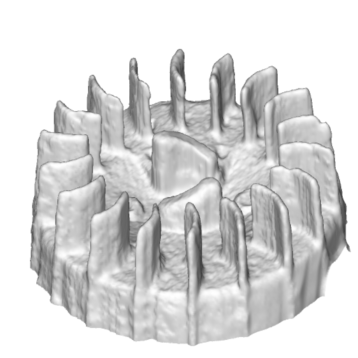
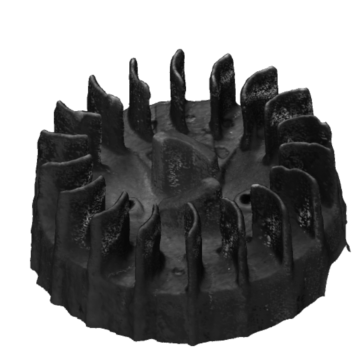
(1) (2) (3) (1) Surface reconstruction with 'surface_pairwise'. (2) Surface reconstruction with 'surface_fusion'. (3) Surface reconstruction with 'surface_fusion', where the color information is extracted from the used 2D images. Have a look at the HDevelop example
reconstruct_surface_mixed_camera_types.hdevto see the 3D reconstruction process. -
Set the image pairs (only for surface reconstruction): For the reconstruction of 3D surfaces, multiple binocular stereo reconstructions are performed, and then combined. For the binocular reconstruction, image pairs have to be specified. For example, for the three images shown above, the image pairs might be
[0,1]and[1,2]. The image pairs have to be specified usingand query the image pairs with
For more information, see
reconstruct_surface_stereoas well as the above-mentioned operators. -
Modify the stereo model parameters: With
you can optimize the settings of the 3D reconstruction for your setup.
When reconstructing surfaces, it is highly recommended to limit the 3D reconstruction using a bounding box which is as tight as possible around the object that is to be reconstructed.
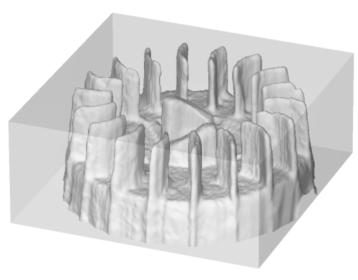
The bounding box, which is set with
set_stereo_model_param, restricts the area where the object is reconstructed, and thus can be used to reduce the runtime greatly.When using the 'surface_fusion'
Methodincreate_stereo_model, it is recommended to first optimize the parameters of the 'surface_pairwise'Method, since it is used as a basis. For more details on the parameters, see the examplesreconstruct_surface_stereo_pairwise_workflow.hdevandreconstruct_surface_stereo_fusion_workflow.hdev.You can query the set parameters with
-
Perform the 3D reconstruction: Then, to perform the actual reconstruction, use
-
Get intermediate results (only for surface reconstruction): Note that to query these intermediate results, you must enable the 'persistence' mode for the stereo model with
set_stereo_model_parambefore performing the reconstruction.With
you can access and inspect intermediate results of a surface reconstruction performed with
reconstruct_surface_stereo. These images can be used for troubleshooting the reconstruction process.With
you can get the 3D object model that was reconstructed with
reconstruct_surface_stereoas an intermediate result using theMethod'surface_fusion'.