Concept – Region🔗
This chapter describes operators of region morphology.
Concept of Region Morphology🔗
Region morphology provides a set of morphological operators that allow to modify or describe the shape of a region. The morphological operators can be used, for example, to connect or disconnect adjacent regions or to smooth the boundary of a region. In the following, we will take a closer look at the morphological operators.
Dilation and Erosion🔗
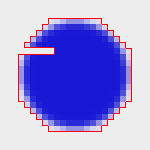
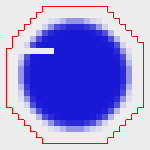
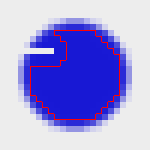
To dilate or erode an input region, a structuring element is applied to the input region. This structuring element is scanned over the image line-by-line. During dilation the reference point of the structuring element is added to the resulting region whenever the structuring element and the input region have at least one pixel in common. This results in an enlarged region, as shown in the image below. Erosion reduces the area of the input region because the reference point is only added to the resulting region if the structuring element lies completely within the input region. As a result, erosion can alternatively be used to find objects.
 |
 |
 |
 |
| (1) | (2) | (3) | (4) |
(1) Image with input region, (2) structuring element with reference point in the origin, (3) result of dilating the input region, (4) result of eroding the input region.
These operators can be used to dilate or erode a region:
| Morphological Operators | Structuring Element | Reference Point | |
|---|---|---|---|
dilation1 |
erosion1 |
arbitrary | origin |
minkowski_add1 |
minkowski_sub1 |
arbitrary, transposed | origin |
dilation2 |
erosion2 |
arbitrary | arbitrary |
minkowski_add2 |
minkowski_sub2 |
arbitrary, transposed | arbitrary |
dilation_circle |
erosion_circle |
circular | origin |
dilation_rectangle1 |
erosion_rectangle1 |
rectangular | origin |
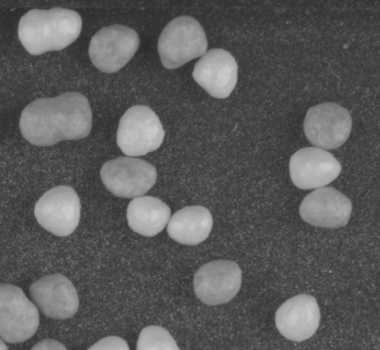
Note that Minkowski addition and dilation are identical if the structuring element is symmetric. The same applies to Minkowski subtraction and erosion. Erosion can be used to separate objects that are attached to each other. In the following, the steps that are required to separate objects are described briefly.
First, the objects of the image must be segmented, for example by
using the operator threshold. Next, the operator
connection is used to get multiple regions instead of a
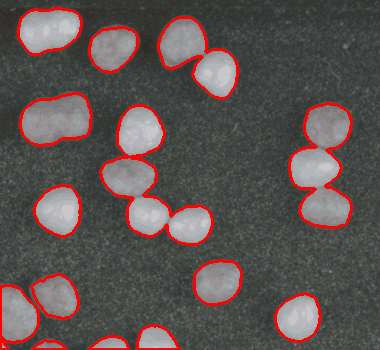
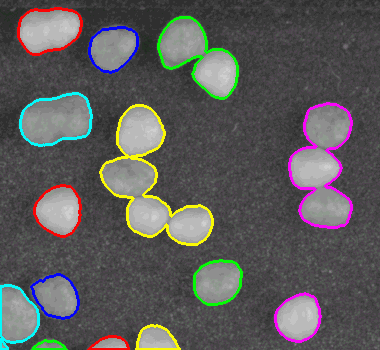
single region. As you can see in the image (3) below, the result of
the connection is unsatisfactory because several objects are merged.
 |
 |
 |
| (1) | (2) | (3) |
(1) Image with globular objects, (2) segmented regions, (3) connected components.
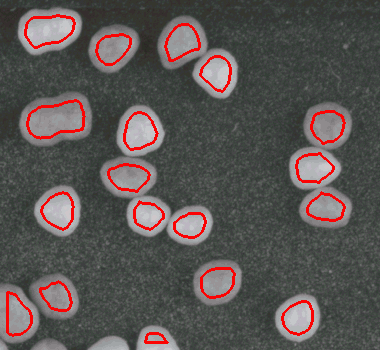
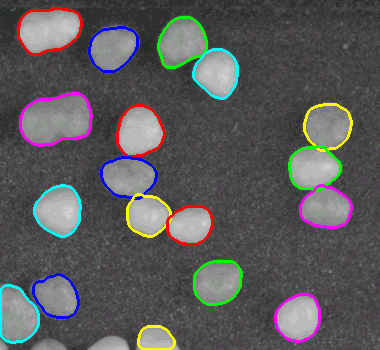
This problem can be solved using erosion. As mentioned above,
erosion reduces the area of the input region. Thus, if erosion
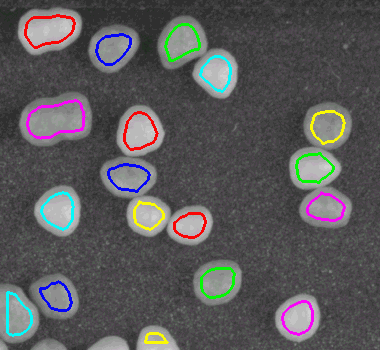
is applied prior to the operator connection, the regions
are separated as desired. Lastly, dilation is applied on the
separated regions to approximately get the original shape back.
 |
 |
 |
| (1) | (2) | (3) |
(1) Segmented regions after erosion, (2) connected components, (3) connected components after dilation.
Opening and Closing🔗
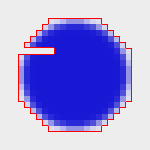
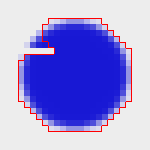
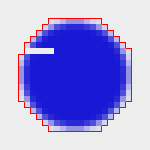
Both operations generate the resulting region by combining dilation and erosion operations. Opening is an erosion followed by a dilation. It is useful to eliminate small unwanted structures. Closing is the opposite of opening, i.e., a dilation followed by an erosion. The closing operator is able to close small gaps, as shown below.
 |
 |
 |
 |
| (1) | (2) | (3) | (4) |
(1) Image with input region, (2) structuring element with reference point, (3) result of applying an opening to the input region, (4) result of applying a closing.
These operators can be used to open or close a region:
| Morphological Operators | Structuring Element | Reference Point | |
|---|---|---|---|
opening |
closing |
arbitrary | origin |
opening_circle |
closing_circle |
circular | origin |
opening_rectangle1 |
closing_rectangle1 |
rectangular | origin |
Further Operators🔗
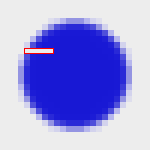
In addition to the operators mentioned above, you can use
top_hat to get the difference between the input region and
the result of the opening, or bottom_hat to get the
difference between the result of the closing and the input region.
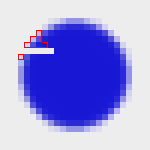
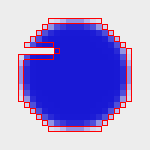
Furthermore, you can calculate the boundary of a region
with the operator boundary.
 |
 |
 |
| (1) | (2) | (3) |
(1) Top hat, (2) bottom hat, (3) boundary.
The operator hit_or_miss can be used to find objects, taking
the foreground and the background of the image into account.
To remove unwanted branches from a skeleton, pruning
is a suitable operator.
Glossary🔗
In the following list, the most important terms that are used in the context of Morphology are described.
-
input region Region which is modified by morphological operators.
-
structuring element Region which is used to scan the input region.