Workflow🔗
A GMM classifier is trained using labeled feature vectors or labeled images and can subsequently be used to classify unknown samples. For low-dimensional feature spaces, feature-space visualization helps to evaluate the selected features and the separation between classes.
Most GMM classification tasks follow the same workflow:
- Create the classifier.
- Add training samples.
- Visualize the feature space (optional).
- Train the classifier.
- Classify unknown samples.
- Evaluate the result.
For low-dimensional feature spaces, the feature space can be visualized after adding the training samples and before training the classifier. This allows the selected features and the separation between classes to be inspected. If the classes cannot be separated sufficiently well, the features or training samples can be adjusted before training the classifier.
Have a look at the HDevelop example classify_metal_parts.hdev for an application.
Create the classifier🔗
This step prepares the classifier and defines the number of classes, the feature dimension, and the number of Gaussian components.
The classifier is created with
Add training samples🔗
Training samples can either be provided directly as feature vectors together with their class labels or be extracted from labeled images, depending on the selected workflow.
Training samples can be added with
add_sample_class_gmmfor feature vectors.add_samples_image_class_gmmfor labeled images.
The latter can be useful for applications such as novelty detection, where the training samples are extracted directly from labeled image regions. Therefore, feature vectors do not always have to be created manually.
Have a look at the HDevelop example novelty_detection_gmm.hdev for an application using image-based training samples.
Visualize the feature space🔗
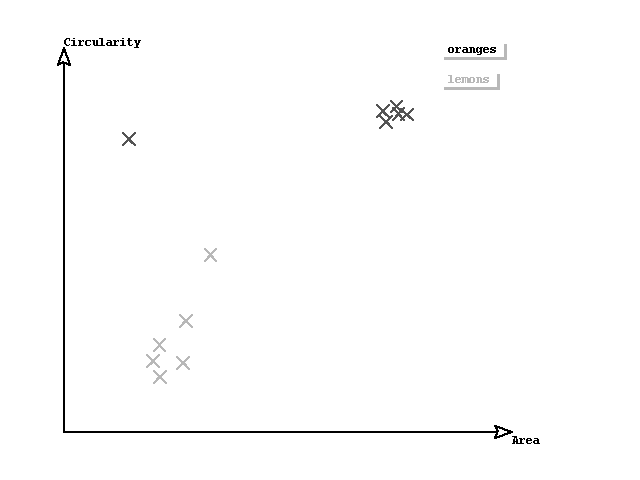
For low-dimensional feature spaces, visualization can help to evaluate the selected features and to understand the separation between classes.
Note that you can also conveniently visualize the feature space using the HDevelop procedure visualize_2d_feature_space.
visualize_2d_feature_space (...)Visualizing the feature space before training allows the selected features and the separation between classes to be inspected. If the classes cannot be separated sufficiently well, the features or training samples can be adjusted before training the classifier.
For more information about feature-space visualization, see Optimization.
Train the classifier🔗
After all samples have been added, the parameters of the Gaussian mixture model are estimated.
Training is performed with
Further information on parameter optimization can be found in the Optimization chapter.
Classify unknown samples🔗
Unknown objects are represented by feature vectors and assigned to the most likely class.
Classification is performed with
Besides the predicted class, the operator also returns probability information.
Evaluate the result🔗
After training and classification, the classifier performance should be evaluated using representative test data that was not used during training.
The classifier can be evaluated with
Evaluating the classifier helps to assess the selected features, compare different parameter settings, and estimate the expected classification performance on previously unseen data.
Further recommendations on classifier evaluation and parameter optimization can be found in the Optimization chapter.