Concept – 3D Matching🔗
This chapter gives an overview of the different 3D matching approaches available in HALCON.
3D Box Finder🔗
As it is already contained in its name, the box finder can be used to
locate box-shaped objects in 3D data. Thereby, no model of the
object is needed as an input for the operator
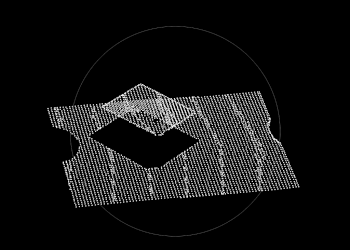
find_box_3d, but only the dimensions of the boxes to be found.
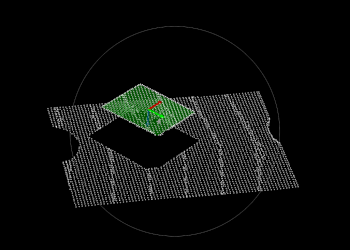
As a result you can retrieve the pose of a gripping point, which can be
especially useful in the case of a bin picking application.
 |
 |
| (1) | (2) |
(1) 3D input data (scene), (2) found instance, including a gripping point.
Surface-Based Matching🔗
The surface-based matching approach is suited to locate more complex objects
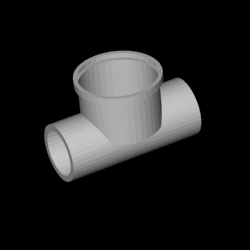
as well. The shape of these objects is passed to the operator
find_surface_model, or find_surface_model_image
respectively, in the form of a surface model. The poses
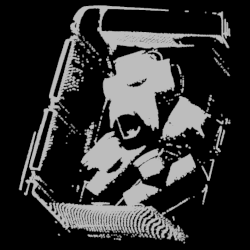
of the found object instances in the scene are then returned.
Note that there are several different approaches when using surface-based
matching. For detailed explanations regarding when and how to use these
approaches, tips, tricks, and troubleshooting, have a look at the
technical note on Surface-Based Matching.
 |
 |
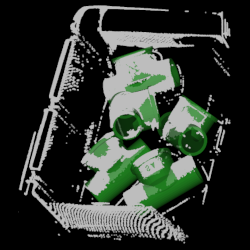 |
| (1) | (2) | (3) |
(1) 3D model to be searched for, (2) 3D input data (scene), (3) matching result.
Deformable Surface-Based Matching🔗
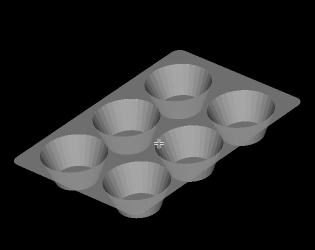
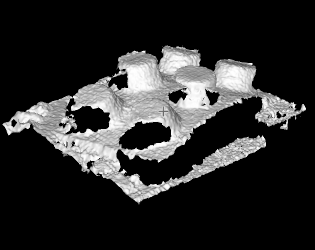
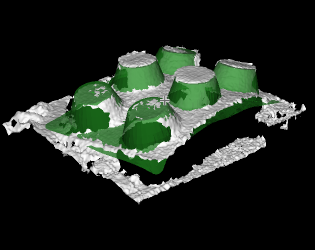
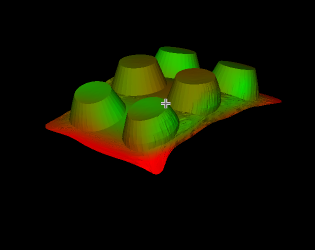
In case an object can occur in the scene in different, deformed states
you can use a deformable surface model to locate the object in the
scene. If an instance of such an object is found by the operator
find_deformable_surface_model, the object model can be retrieved
featuring the respective deformation and pose.
 |
 |
 |
 |
| (1) | (2) | (3) | (4) |
(1) 3D object model, (2) 3D input data to be searched (scene), (3) model, transformed into the matched pose, (4) deformed object model.
Shape-Based Matching🔗
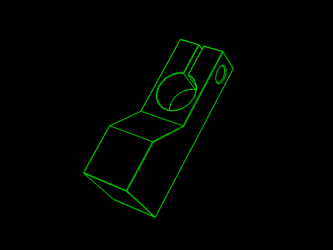
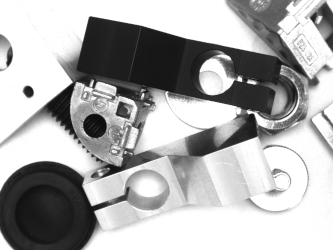
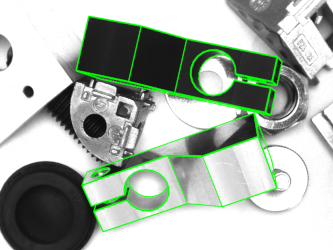
With shape-based matching, instances of a 3D CAD model are searched in 2D
images instead of 3D point clouds.
For this, the edges of the wanted object need to be clearly visible
in the image and the used camera needs to be calibrated beforehand.
As a result, the object pose is computed and returned by the operator
find_shape_model_3d.
 |
 |
 |
| (1) | (2) | (3) |
(1) 3D shape model, (2) input image, (3) found shape model, projected into the image.
3D Gripping Point Detection🔗
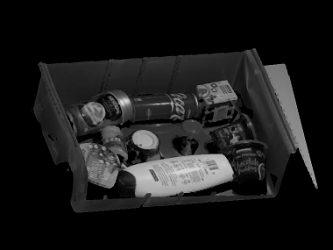
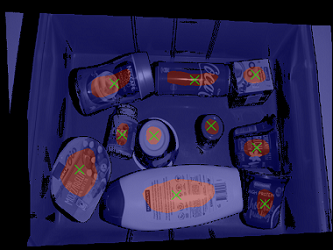
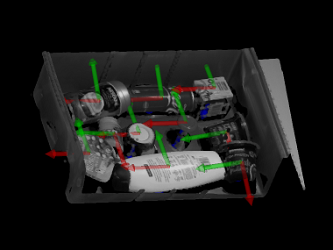
3D Gripping Point Detection is a deep-learning-based approach to detect gripping points on arbitrary objects in a 3D scene. For further information please see the chapter 3D Matching / 3D Gripping Point Detection.
 |
 |
 |
 |
| (1) | (2) | (3) | (4) |
(1) 2D input image (intensity image), (2) 3D scene (generated from XYZ-images), (3) Visualization of estimated gripping points on the 2D input image, (4) Visualization of estimated gripping points as poses in the 3D scene.
Deep 3D Matching🔗
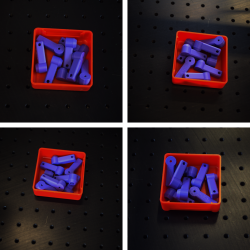
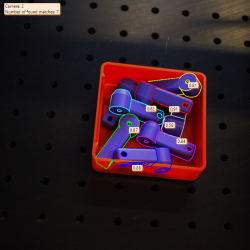
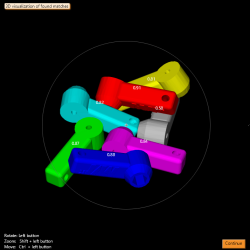
Deep 3D Matching is a deep-learning-based approach to detect objects in a scene and compute their 3D pose. For further information please see the chapter 3D Matching / Deep 3D Matching.
 |
 |
 |
| (1) | (2) | (3) |
(1) Input scenes for an object, (2) computed 3D poses of the object in 2D image, (3) computed 3D poses of the object in 3D plot.