Pixel-precise edge extraction🔗
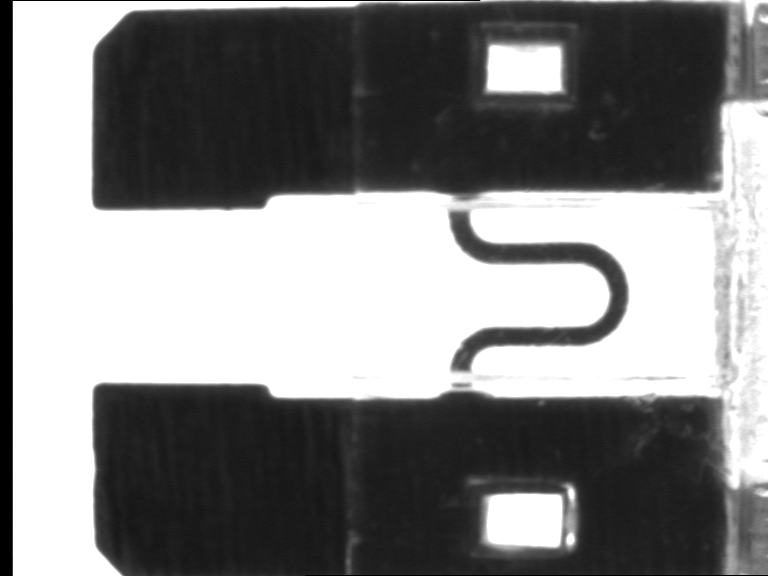
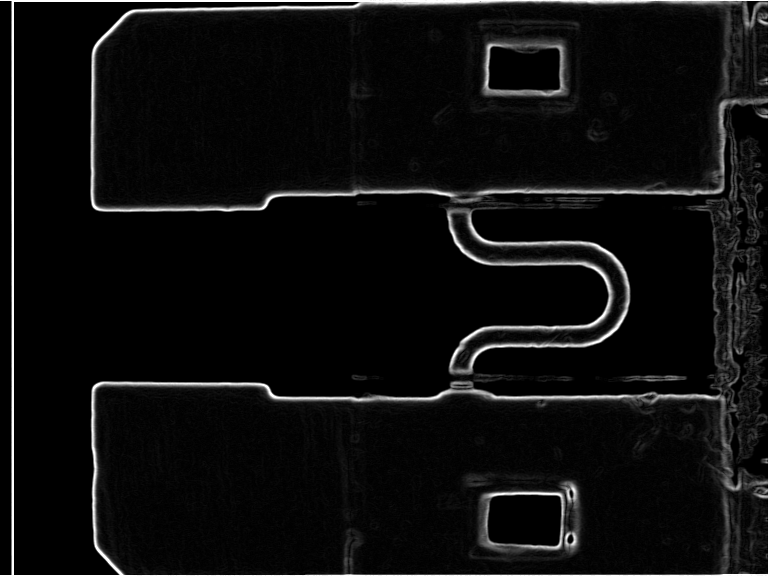
The traditional way of finding edges, that is, dark / light transitions in an image, is to apply an edge filter. These filters have the effect to find pixels at the border between light and dark areas. In mathematical terms this means that these filters determine the image gradient. This image gradient is typically returned as the edge amplitude and/or the edge direction. By selecting all pixels with a high edge amplitude, contours between areas can be extracted.
Another approach to find edges is to use a deep learning model trained to find edges. This method offers the advantage that its results can be further improved by retraining the model. Such a retraining makes it even possible to find specific edges on a custom task.
Please note that HALCON also provides operators for subpixel-precise edge and line extraction and for successive post-processing and feature extraction.
Edge extraction using edge filters🔗
HALCON offers standard edge filters like the Sobel, Roberts, Robinson, or Frei filters. Besides these, post-processing operators like hysteresis thresholding or non-maximum suppression are provided. In addition, filters that determine the edge amplitude and edge direction accurately are provided. This enables you to apply the filters in a flexible manner.
Filter image🔗
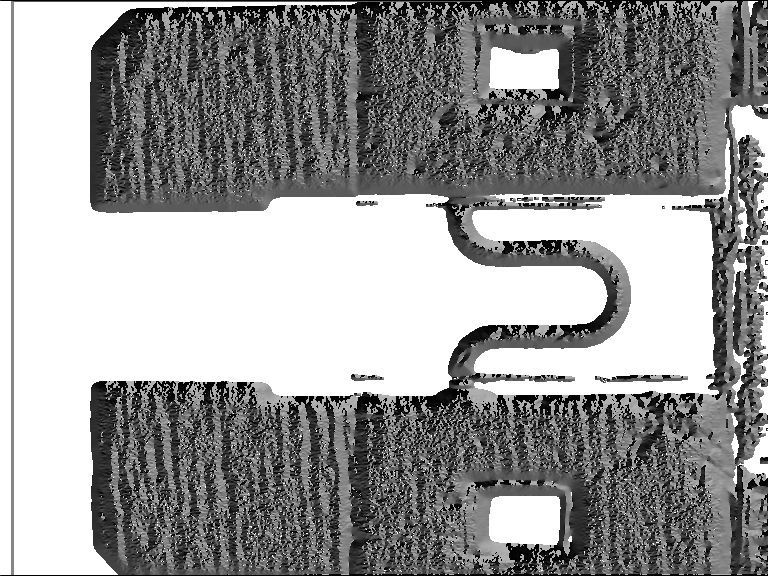
On the input image, an edge filter is applied. This operation results in one or two images. The basic result is the edge amplitude, which is typically stored as a byte image, with the gray value of each pixel representing the local edge amplitude. Optionally, the direction of the edges is returned. These values are stored in a so-called direction image, with the values 0…179 representing the angle in degrees divided by two.
HALCON offers a wide range of edge filters.
One of the most established filters is the Sobel filter.
It combines speed with a reasonable quality.
The corresponding operators are called sobel_amp and sobel_dir.
In contrast, edges_image provides the state of the art of edge filters.
This operator is actually more than just a filter.
It includes a thinning of the edges using a non-maximum suppression and a hysteresis threshold for the selection of significant edge points.
It also returns the edge direction and the edge amplitude very accurately, which is not the case with the Sobel filter.
This operator is recommended if higher quality is more important than a longer execution time.
If the images are not noisy or blurred, you can even combine accuracy and speed by using the mode 'sobel_fast' inside edges_image.
The corresponding operator to find edges in multi-channel images, e.g., a color image, is edges_color.
Extract edges🔗
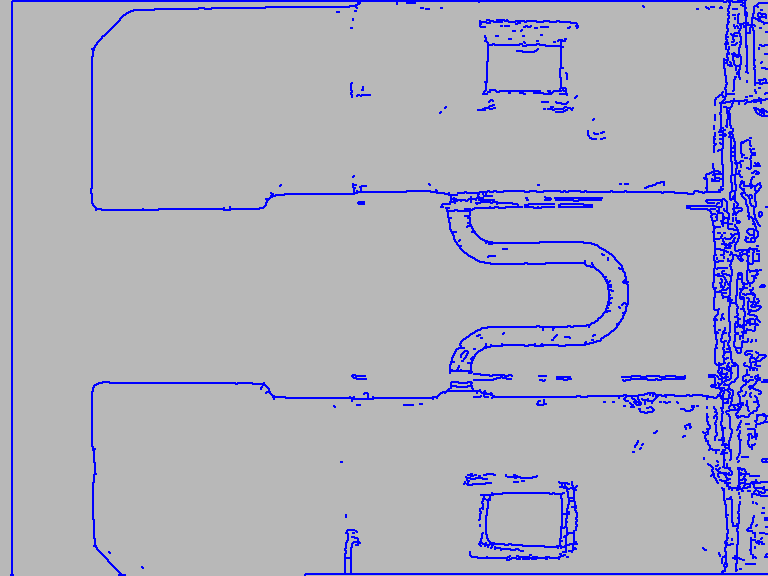
The result of applying the edge filter is an image containing the edge amplitudes. From this image, the edges are extracted by selecting the pixels with a given minimum edge amplitude using a threshold operator. The resulting edges are typically broader than one pixel and therefore have to be thinned. For this step, various methods are available.
The easiest way to extract the edges from the edge amplitude image is to apply threshold to select pixels with a high edge amplitude.
The result of this step is a region that contains all edge points.
With skeleton, these edges can be thinned to a width of one pixel.
As an advanced version for threshold, hysteresis_threshold can be used to eliminate insignificant edges.
A further advanced option is to call the operator nonmax_suppression_dir before skeleton, which in difficult cases may result in more accurate edges.
Note that in order to use this operator you must have computed the edge direction image.
In contrast, the advanced filter edges_image already includes the non-maximum suppression and the hysteresis threshold.
Therefore, in this case a simple threshold suffices to extract edges that are one pixel wide.
If only the edge points as a region are needed, the operator inspect_shape_model can be used.
Here, all steps including edge filtering, non-maximum suppression, and hysteresis thresholding are performed in one step with high efficiency.
Process edges🔗
If you want to extract the coordinates of edge segments, split_skeleton_lines is the right choice.
This operator must be called for each connected component (result of connection) and returns all the control points of the line segments.
As an alternative, a Hough transform can be used to obtain the line segments.
Here, the operators hough_lines_dir and hough_lines are available.
You can also convert the edge region into XLD contours by using, e.g., the operator gen_contours_skeleton_xld.
The advantage of this approach is the extended set of operators offered for refSpecials{meth}{xld}{XLD contour processing}, e.g., for contour segmentation, feature extraction, or approximation.
You can extract the regions enclosed by the edges easily using background_seg.
If regions merge because of gaps in the edges, the operators close_edges or close_edges_length can be used in advance to close the gaps before regions are extracted.
As an alternative, morphological operators like opening_circle can be applied to the output regions of background_seg.
Programming examples🔗
Some example applications are shown in the following programs:
-
Interpreting aerial images:
%HALCONEXAMPLES%/solution_guide/basics/edge_segments.hdev -
Segmenting a color image:
%HALCONEXAMPLES%/hdevelop/Filters/Edges/edges_color.hdev
Deep learning-based edge extraction🔗
Deep-learning-based edge extraction is a special use case of deep-learning-based semantic segmentation. Thus, the model is a segmentation model designed and trained to extract edges. It comes with the advantages and drawbacks of this approach. This said, the model allows wide variations in the application images without need for setting changes. Further it can be retrained on custom applications just as any other segmentation model. As for every deep learning approach, the accuracy of the extracted edges cannot be guaranteed. However, commonly, the results are satisfying for applications where a high precision is not required.
Deep-learning-based edge extraction is used the same way as other deep learning semantic segmentation models.
HALCON delivers a specific model designed and pretrained to extract edges. But it is not guaranteed the model handles all kinds of specific problems as, for example, low contrast and high noise images, since the model is pretrained to generalize well. In such cases the model performance can be (often significantly) improved by a retraining on application-specific images (see, for example, Figure 1).
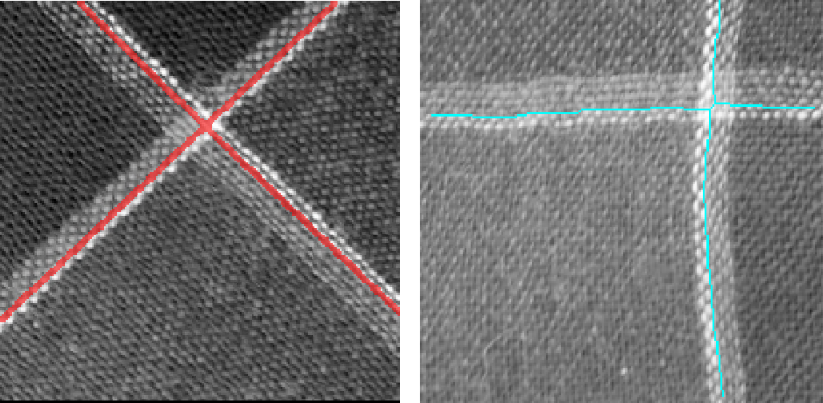
More Info
For more information about deep learning-based edge extraction and its workflow, see here.
Programming examples🔗
Some example applications are shown in the following programs:
-
Finding all edges in a low contrast high noise scenario:
%HALCONEXAMPLES%/hdevelop/Deep-Learning/Segmentation/segment_edges_deep_learning.hdev -
Finding only specific edges in a pattern:
%HALCONEXAMPLES%/hdevelop/Deep-Learning/Segmentation/segment_edges_deep_learning_with_retraining.hdev