Thresholding🔗
One way to perform a segmentation of an image is to use threshold operators. In doing so, regions that fulfill a certain threshold condition, depending on gray values, are determined within an image.
To fit different tasks and image properties, HALCON provides a set of threshold operators. The following sections provide an overview of the operators, categorizing them as either histogram-based or local methods, and taking a closer look at the most important ones.
Histogram-based threshold operators🔗
Histogram-based threshold segmentation only takes the pixel value into account, but not the pixel position. Therefore, thresholds are determined by adjusting them to the histogram of an image.
Threshold🔗
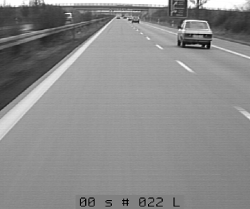
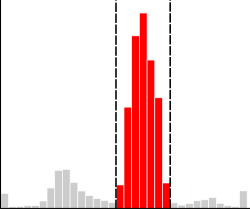
By using threshold, you can select all pixels within user-set gray value intervals.
 |
 |
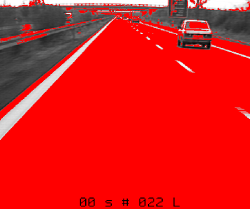 |
Figure 1.
Input image
Histogram of the input image with manually determined thresholds MinGray and MaxGray
Resulting segmentation of the input image
The operator fast_threshold also works with two manually determined thresholds, but uses another computing algorithm.
Binary threshold🔗
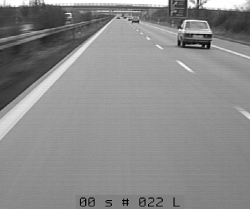
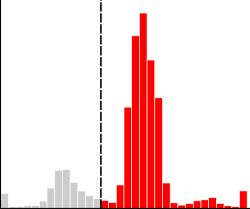
To divide your image into light and dark regions, binary_threshold automatically computes a threshold to separate foreground from background.
 |
 |
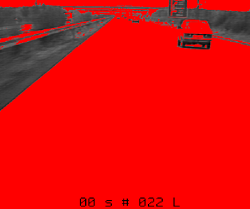 |
Figure 2.
Input image
Histogram of the input image with automatically determined binary threshold
Resulting segmentation of the input image
A segmentation using threshold_sub_pix also divides the image into foreground and background, but puts out the separating border with sub-pixel accuracy.
The threshold has to be set manually.
Automatic threshold🔗
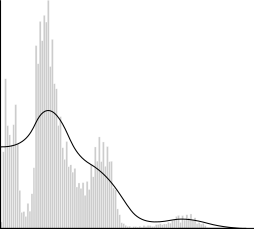
auto_threshold computes local minima in the image histogram to determine thresholds.
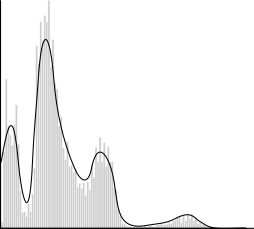
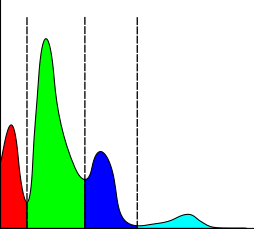
By smoothing the histogram, you can influence the number of classes found in the input image.
 |
 |
 |
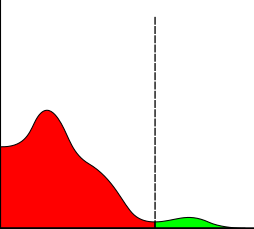 |
Figure 3.
Slightly smoothed histogram –
Result showing higher number of local minima
Further smoothing histogram –
Result showing decreased number of local minima
 |
 |
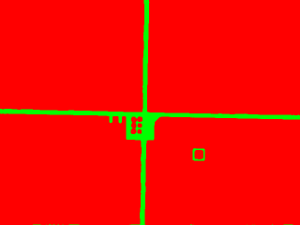 |
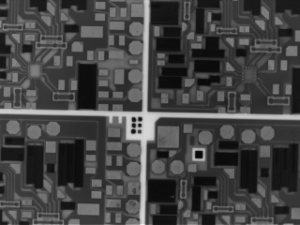
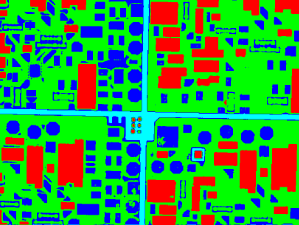
Figure 4.
Input image
Four classes extracted from slightly smoothed histogram
Two classes extracted from further smoothed histogram
Use histo_to_thresh to get the gray values of local minima in the histogram.
Character threshold🔗
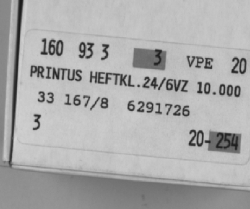
To segment dark text on light background, you can use char_threshold.
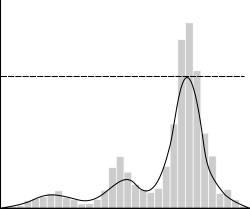
The maximum peak in the histogram corresponds to the light background.
Assuming the text is darker than the background, you examine the smoothed histogram left of the maximum.
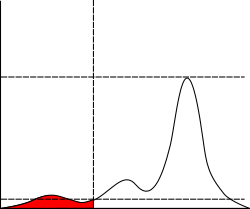
The parameter Percent determines how far from the maximum the threshold is set, taking the frequencies of the gray values into account.
 |
 |
 |
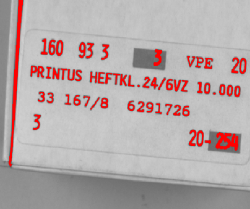 |
Figure 5.
Input image
Smoothed histogram with identified global maximum
Threshold left of the maximum determined by Percent parameter
Resulting image
Dual threshold🔗
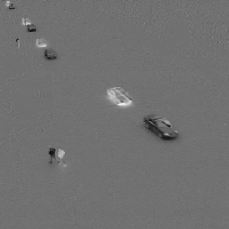
Subtracting an image from another or using an edge-detecting operator like laplace_of_gauss usually leads to negative values in the resulting image.
The operator dual_threshold is suited to segmenting signed images, while also taking minimum region size into account.
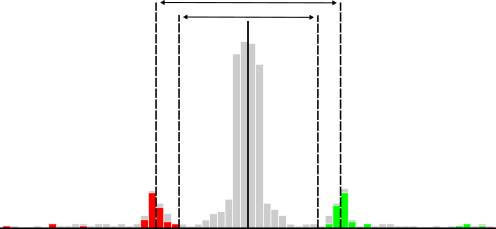
Figure 6. Histogram of a signed image with Threshold (inner boundaries) and MinGray.
Pixels are only selected if they fulfill the conditions regarding gray values and region size.
 |
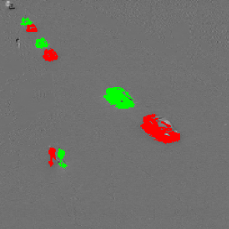 |
Figure 7.
Signed input image (created with sub_image)
Result after applying a dual threshold
Local threshold operators🔗
Unlike histogram-based threshold operators, a local threshold also takes position or neighborhood of pixels into account to assign them to the appropriate region. Instead of global thresholds, which are applied to each pixel, it is sometimes useful to adapt the threshold to local features of the image.
Local threshold🔗
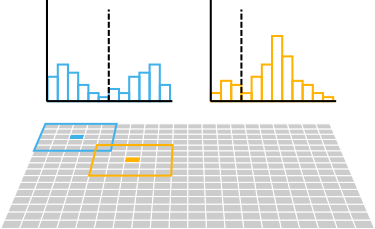
local_threshold takes the local mean and standard deviation into account and computes an individual threshold for each pixel.
The size of the neighborhood is set by the user.
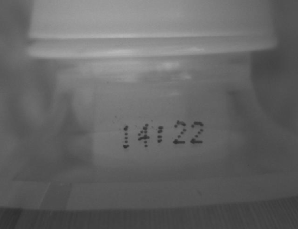
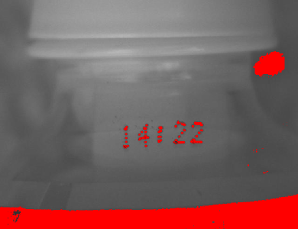
This operator is especially suited to segmenting text when lighting conditions or the background are not homogeneous.
 |
 |
 |
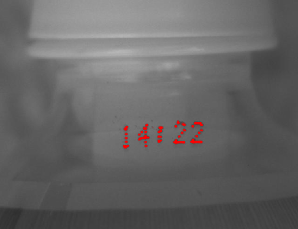 |
Figure 8.
Input image
Segmentation with global thresholds not selecting the desired text only
Adapting the threshold to the neighborhood of each pixel individually
Segmentation of the text
The operator var_threshold works in a similar way, except it selects those points of the image that fulfill specified conditions regarding their local standard deviation and brightness.
Dynamic threshold🔗
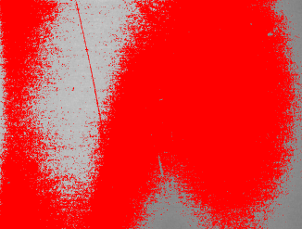
With dyn_threshold, you can inspect the differences between images.
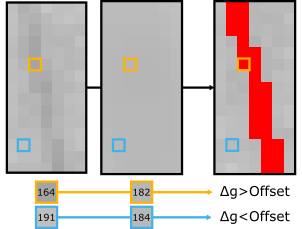
Usually, the input image and a filtered version, for example, the mean of the image, are compared pixel by pixel.
The parameter LightDark is used to determine what kind of changes in the image are relevant.
The sensitivity of the operator is controlled by the parameter Offset.
 |
 |
 |
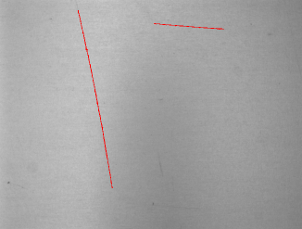 |
Figure 9.
Input image
Segmenting scratches with global threshold impossible due to inhomogeneous lighting conditions
Inspection of the gray value difference between the original image (left) and mean of the image (middle) pixel by pixel to segment regions (right) exceeding Offset (image detail)
Result after selecting desired regions
Tip
For more information, take a look at the example surface_scratch.hdev.
A similar operator is check_difference, which displays the absolute differences between two images.
It is especially suited to detecting changes in consecutively acquired images.
Zero-crossing threshold🔗
Operators like laplace_of_gauss, which are used for edge detection, return signed images where edges are located at the zero crossings.
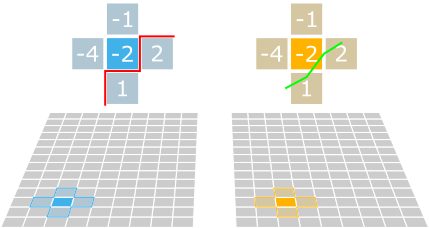
zero_crossing and zero_crossing_sub_pix can be used to extract those edges, taking the individual 4-neighborhood into account.
 |
 |
 |
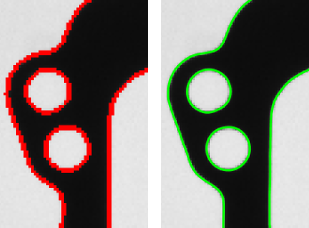 |
Figure 10.
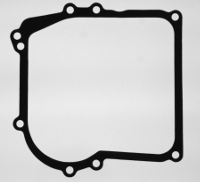
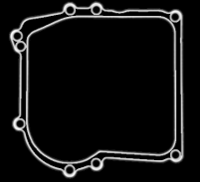
Input image
Domain is reduced and Laplace-of-Gaussian filter is applied
Zero-crossing operators detecting edges with pixel (red) and sub-pixel accuracy (green)
Image details of results using zero_crossing (red) and zero_crossing_sub_pix (green)