Workflow🔗
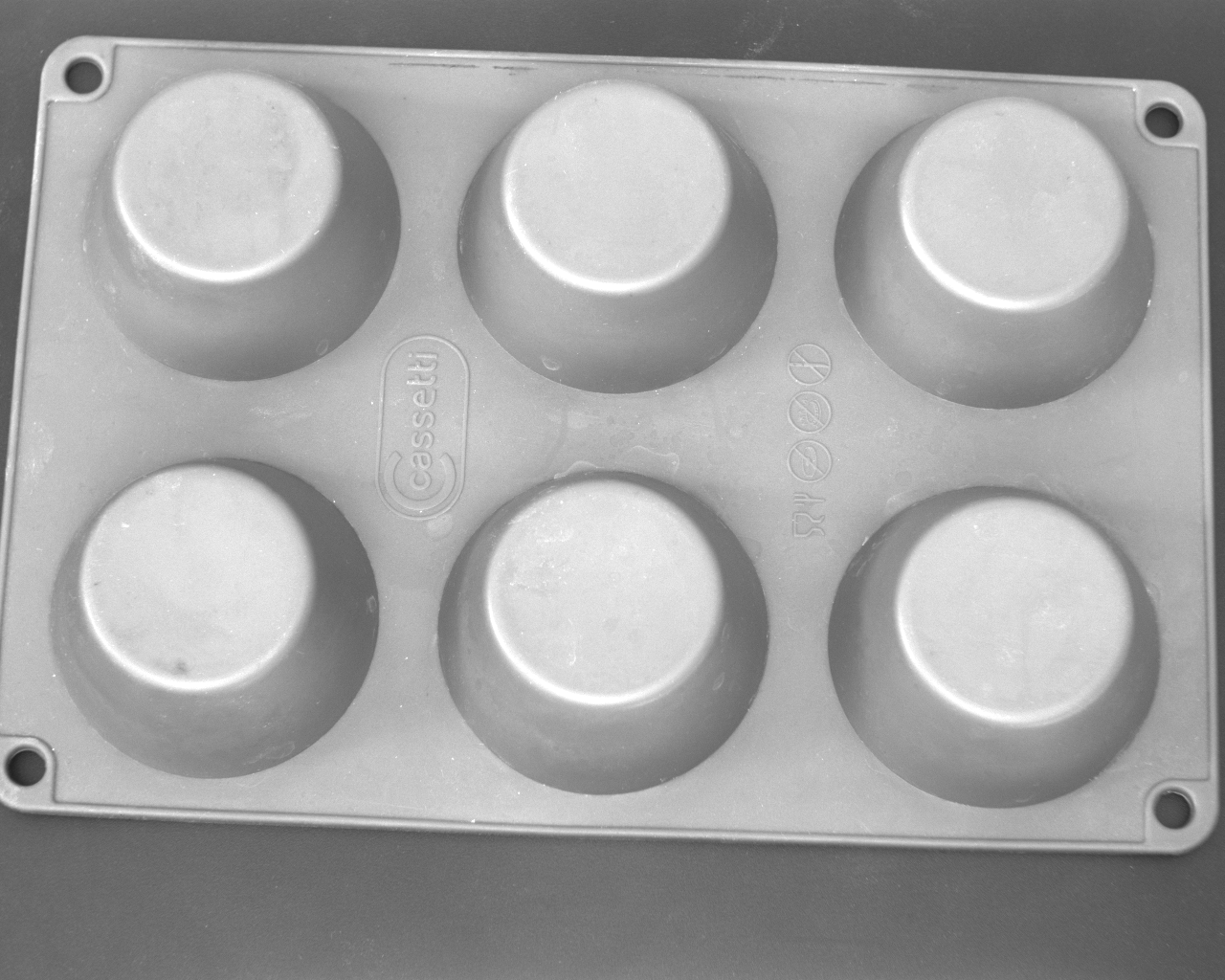
The example program %HALCONEXAMPLES%\hdevelop\3D-Matching\Deformable-Surface-Based\find_deformable_surface_model.hdev shows how to use the deformable surface-based 3D matching to find even deformed silicone baking molds.
-
Provide the 3D object model needed for the creation of the deformable surface model
In contrast to shape-based 3D matching, for deformable surface-based matching, the 3D object model does not need to be available as CAD model but can also be provided by a 3D sensor or be derived by a 3D reconstruction.
In the example program, the 3D object model is provided as CAD model (see Figure 2). This kind of data source was mainly chosen for visualization reasons. With this, it is easier to distinguish the deformed model from the search scene.
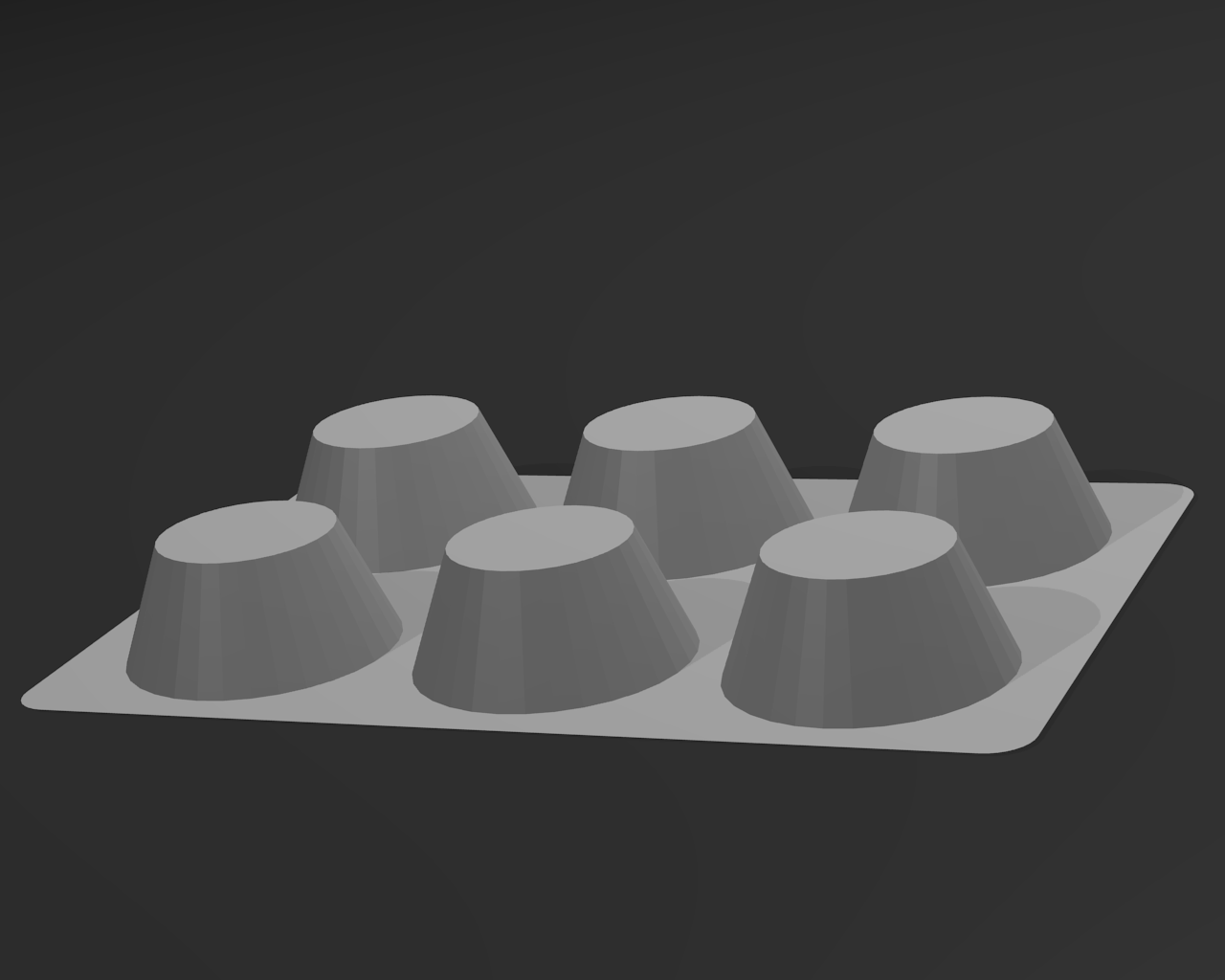
Figure 2: 3D object model of the silicone baking mold. Note that for deformable surface-based matching information about the coordinates of the 3D points and their normals is needed. Thus, if a 3D object model is obtained from a CAD model or from multi-view stereo, the normals or a triangular or polygon mesh should be contained in the 3D object model.
-
Create the deformable surface model with
create_deformable_surface_modelThe operator
create_deformable_surface_modelcreates a deformable surface model by sampling the 3D object model with a certain distance. The sampling distance can be adjusted with the parameterRelSamplingDistance.Note that a smaller value leads to a slower but more robust matching, whereas a larger value speeds up the matching but at the same time decreases the robustness.
create_deformable_surface_model (ObjectModel3DReference, 0.03, 'stiffness', 0.85, DeformableSurfaceModel)If the 3D object model does not contain normals, they are determined by
create_deformable_surface_modelautomatically.Note
In this case, the orientation of the normals is ambiguous. Internally, they are automatically oriented such that all normals have a positive z component.
The correct match will only be found if the normals of the model and of the search object point in the same direction.
If the orientation of the search object may vary considerably, some effort should be made to orient the normals of the search object consistently with those of the model. For example, it might be helpful to check whether all normals point away from the center of gravity of the object and to flip those normals that do not.
Of course, this correction of the normals must be performed for both the model and the search object.
Another possibility is to create two models with the generic parameter
'model_invert_normals'set to'true'and'false', respectively.Both models can then be used for matching and the match with the higher score should be selected.
-
Optionally define reference points with
add_deformable_surface_model_reference_pointIt is possible to define a set of reference points with
add_deformable_surface_model_reference_point.add_deformable_surface_model_reference_point (DeformableSurfaceModel, ReferencePointX, ReferencePointY, ReferencePointZ, ReferencePointIndex)Reference points are 3D points that can be placed at any position, i.e., it is not necessary that they lie on the object’s surface.
After a possibly deformed object has been found with
find_deformable_surface_model, the respective 3D position of the reference points in the deformed scene can be determined withget_deformable_surface_matching_result.find_deformable_surface_model (DeformableSurfaceModel, ObjectModel3DSearchSceneForDef, 0.03, 0, [], [], Score, DeformableSurfaceMatchingResult) get_deformable_surface_matching_result (DeformableSurfaceMatchingResult, 'reference_point_x', 'all', ReferencePointXDeformed) get_deformable_surface_matching_result (DeformableSurfaceMatchingResult, 'reference_point_y', 'all', ReferencePointYDeformed) get_deformable_surface_matching_result (DeformableSurfaceMatchingResult, 'reference_point_z', 'all', ReferencePointZDeformed)Reference points are, for example, helpful to determine the grasping points for the deformed 3D object.
-
Optionally extend the range of deformations that the deformable surface model is able to cope with
The supported range of deformations can be extended if information about the expected deformations is added to the deformable surface model.
First, provide 3D scenes that contain deformed instances of the 3D object, then, detect those instances with
find_deformable_surface_model, and finally, add the found deformed objects to the deformable surface model withadd_deformable_surface_model_sampleto extend the range of deformations that the deformable surface model is able to cope with.To make the matching in the 3D scenes used for the model extension faster and more robust, in the example program, the background is eliminated from the reconstructed 3D scene by eliminating all points that are close to the (known) background plane.
gen_plane_object_model_3d (PlanePose, [], [], ObjectModel3DPlane)
distance_object_model_3d (ObjectModel3D, ObjectModel3DPlane, [], 0, [], [])
get_object_model_3d_params (ObjectModel3D, '&distance', Distances)
select_points_object_model_3d (ObjectModel3D, '&distance', MinDistanceToPlane, max(Distances), ObjectModel3DThresholded)
In the resulting 3D scene, the deformed object is detected with
find_deformable_surface_modeland the found deformed object is added to the deformable surface model withadd_deformable_surface_model_sample:find_deformable_surface_model (DeformableSurfaceModel, ObjectModel3DSearchSceneForDef, 0.03, 0, [], [], Score, DeformableSurfaceMatchingResult) get_deformable_surface_matching_result (DeformableSurfaceMatchingResult, 'deformed_sampled_model', 0, ObjectModel3DDeformedSampled) add_deformable_surface_model_sample (DeformableSurfaceModel, ObjectModel3DDeformedSampled) -
Provide a 3D scene that represents the search data
The 3D scene in which the object of interest is searched for must be provided as a 3D object model (see Figure 3 ), similar to the 3D object model that was used for the creation of the deformable surface model or for the extension of the supported deformation range.
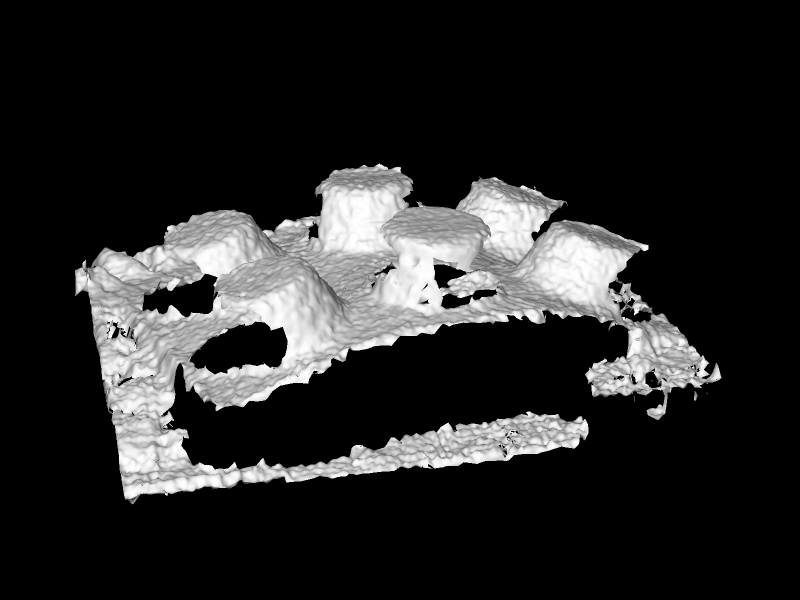
Figure 3: 3D scene that contains a deformed baking mold. Typically, the 3D object models used for the search are acquired by 3D sensors or reconstructed from stereo image data.
-
Use the deformable surface model to search for the object in the search data
With the deformable surface model that was created with
create_deformable_surface_modelor read from file withread_deformable_surface_model, the deformed object can be searched for in the search data using the operatorfind_deformable_surface_model.find_deformable_surface_model (DeformableSurfaceModel, ObjectModel3DSearchSceneForDef, 0.03, 0, [], [], Score, DeformableSurfaceMatchingResult)Several parameters can be set to control the search process. For detailed information, we recommend to read the description of the operator
find_deformable_surface_modelin the Reference Manual.If a model instance was found, the operator returns a score that describes the quality of the match and a handle that contains the results, like the deformed position of the reference points.
After the matching, the result can be visualized. For this, the deformed reference model can be determined with
get_deformable_surface_matching_result:get_deformable_surface_matching_result (DeformableSurfaceMatchingResult, 'deformed_model', 0, ObjectModel3DDeformed)The position of the reference points transformed to the deformed 3D object that was found can be determined with
get_deformable_surface_matching_result. It can, for example, be used to grasp the deformed object.get_deformable_surface_matching_result (DeformableSurfaceMatchingResult, 'reference_point_x', 'all', ReferencePointXDeformed) get_deformable_surface_matching_result (DeformableSurfaceMatchingResult, 'reference_point_y', 'all', ReferencePointYDeformed) get_deformable_surface_matching_result (DeformableSurfaceMatchingResult, 'reference_point_z', 'all', ReferencePointZDeformed)In the example, the deformed 3D object model is visualized together with the reference points on top of the search scene (see Figure 1).
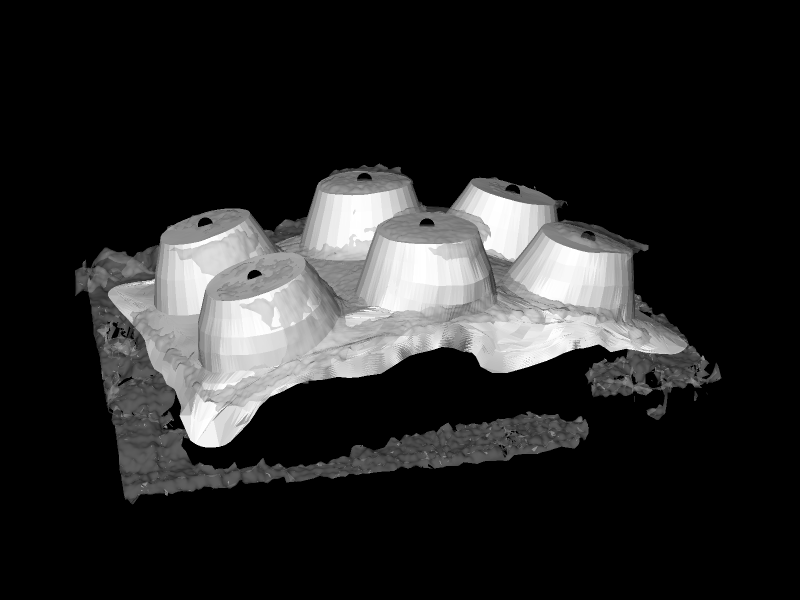
Figure 4: The matching result shows the deformed object and reference points. Note that, especially, if the object does not have a distinct 3D shape, for example, because most of the points have a similar height, it might be necessary to manually eliminate the background and other objects from the 3D scene to ensure a proper matching result.
Otherwise, the object might be found in the background because a relatively flat object fits perfectly to a relatively flat background, especially if deformations of the object are allowed.