Hand-eye calibration🔗
Like the camera calibration, the hand-eye calibration is based on providing multiple images of a known calibration object. But in contrast to the camera calibration, here, the calibration object is not moved manually. Either it is moved by the robot in front of a stationary camera or the robot moves the camera over a stationary calibration object.
Important
The pose, i.e., the position and orientation, of the robot tool in robot base coordinates for each calibration image must be known with high accuracy!
This results in a chain of coordinate transformations (see Figure 1 and Figure 2). In this chain, two transformations (poses) are known: the pose of the robot tool in robot base coordinates \(\mvHomMatrixVar{base}{tool}\) and the pose of the calibration object in camera coordinates \(\mvHomMatrixVar{cam}{cal}\), which is determined from the calibration images. The hand-eye calibration then estimates the other two poses, i.e., the relation between the robot and the camera and between the robot and the calibration object, respectively. Note that the chain consists of different poses depending on the used scenario.
Moving camera
For a moving camera, the pose of the robot tool in camera coordinates and the pose of the calibration object in robot base coordinates are determined (see Figure 1):
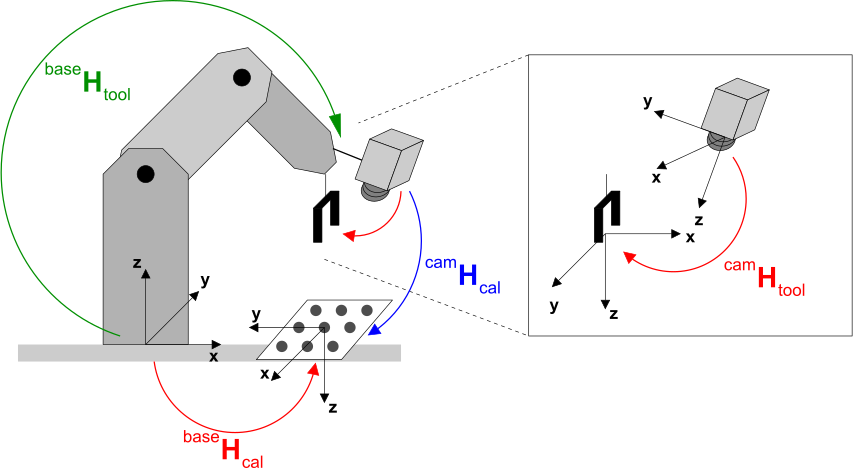
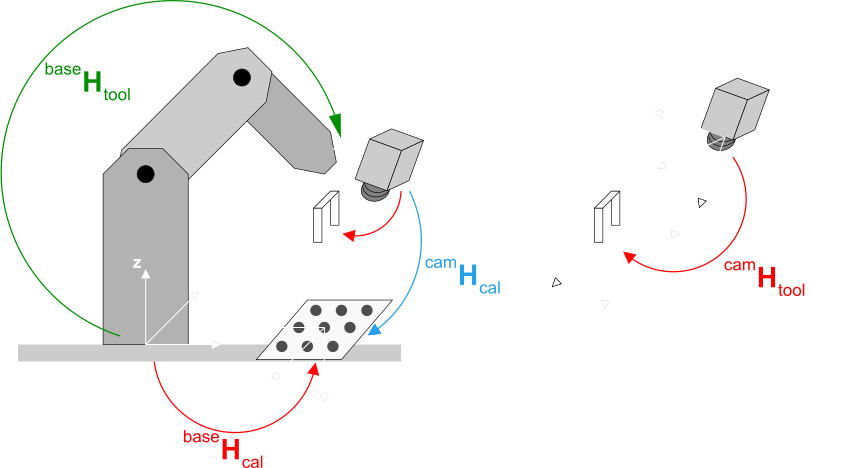
In this chain the inverse input pose, i.e., the pose of the robot base in tool coordinates, is used.
However, the inversion of the pose is done internally by the hand-eye calibration algorithm.
Stationary camera
For a stationary camera, the pose of the robot base in camera coordinates and of the calibration object in robot tool coordinates are determined (see Figure 2):
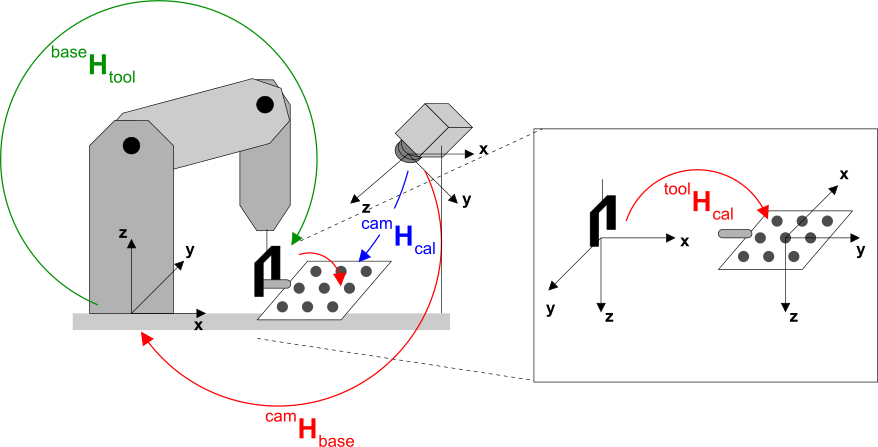
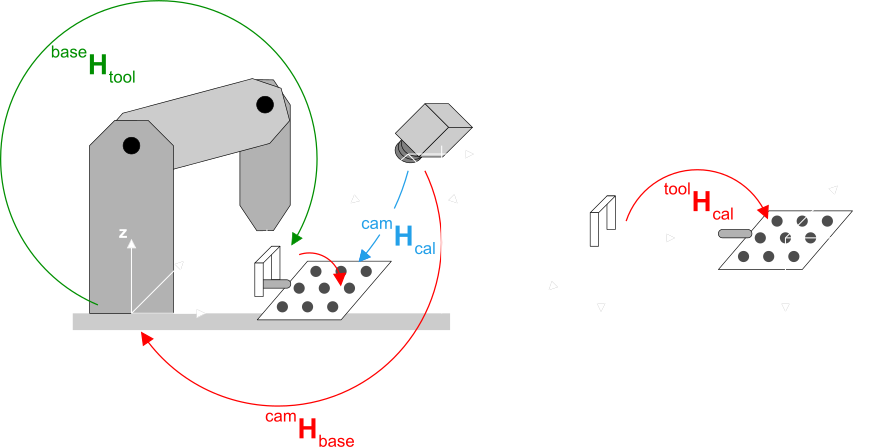
Once all input data has been set as detailed in refsec{handeye:input}, the hand-eye calibration is performed with a single call of the operator calibrate_hand_eye.
calibrate_hand_eye (CalibDataID, Errors)Let’s have a brief look at the parameters. The referenced sections contain more detailed information:
-
CalibDataID
As for the camera calibration, you have to prepare a calibration input data model by setting all required input data. Specifically, the observed poses of the calibration object in camera coordinates and the corresponding poses of the robot tool in robot base coordinates have to be set. -
Errors
These errors represent the quality assessment of the transformations determined during the hand-eye calibration. How to use the transformations and how to interpret the quality values in robot vision applications is described here. If you get a high error, use the procedurecheck_hand_eye_calibration_input_posesto check the input poses for consistency.
Besides the coordinate systems described above, two others may be of interest in a robot vision application: First, sometimes results must be transformed into a reference (world) coordinate system. You can define such a coordinate system easily based on a calibration image. Secondly, especially if the robot system uses different tools (grippers), it might be useful to place the tool coordinate system used in the calibration at the mounting point of the tools and introduce additional coordinate systems at the gripper (tool center point). See here for an example application that shows how to handle both cases.
Calibrating the camera in advance🔗
This step is not required for 3D sensors and it is optional for articulated robots that are used together with one camera, but it is obligatory for SCARA robots and for all systems with a stereo or multi-view camera setup.
-
Articulated robot
For hand-eye systems with an articulated robot and one camera, typically, the camera is calibrated together with the whole hand-eye system. Therefore, it is not necessary to calibrate the camera in advance.If a stereo or multi-view camera setup is used instead of one camera, these cameras must be calibrated in advance by the method described here. If such a calibrated camera setup is used for hand-eye calibration (or if one already calibrated camera is used whose camera parameters should be preserved), the internal camera parameters must be excluded from the optimization with
set_calib_data (CalibDataID, 'camera', 'general', 'excluded_settings', 'params') -
SCARA robot
For hand-eye systems with a SCARA robot, the camera must be calibrated in advance (see, e.g., here). The internal camera parameters are automatically excluded from the optimization.
For a simple camera calibration, have a look at the HDevelop example program %HALCONEXAMPLES%\hdevelop\
Calibration\Hand-Eye\calibrate_hand_eye_stationary_cam_approx.hdev, which includes a camera calibration with a single calibration image.