Robot vision🔗
A typical application area for 3D vision is robot vision, i.e., whenever robots are equipped with cameras that supply information about the parts to be handled.
Such systems are also called 'hand-eye systems' because the robotic 'hand' is guided by mechanical 'eyes'.
In order to use the information extracted by the camera, it must be transformed into the coordinate system of the robot. Thus, besides calibrating the camera(s) you must also calibrate the hand-eye system, i.e., determine the transformation between camera and robot coordinates. The following sections explain how to perform this hand-eye calibration with HALCON.
Note
In order to use HALCON’s hand-eye calibration, the camera must observe the workspace of the robot. If the camera does not observe the workspace of the robot, e.g., if the camera observes parts on a conveyor belt, which are then handled by a robot further down the line, you must determine the relative pose of robot and camera with different means.
The calibration result can be used for different tasks.
Typically, the results of machine vision, e.g., the position of a part, are to be transformed from camera into robot coordinates to create the appropriate robot commands, e.g., to grasp the part.
The example programs %HALCONEXAMPLES%\hdevelop\Applications\Robot-Vision\pick_and_place_with_2d_matching_moving_cam.hdev and %HALCONEXAMPLES%\hdevelop\Applications\Robot-Vision\pick_and_place_with_2d_matching_stationary_cam.hdev show how to grasp objects using the hand-eye calibration data.
These examples can be adapted easily for all kinds of pick-and-place-applications.
Another possible application for hand-eye systems is to transform the information extracted from different camera poses of a moving camera into a common coordinate system.
Supported Configurations🔗
The hand-eye calibration of HALCON supports different configurations, i.e., kinds of robots and sensors and ways, the sensor is mounted.
Articulated robot vs. SCARA robot🔗
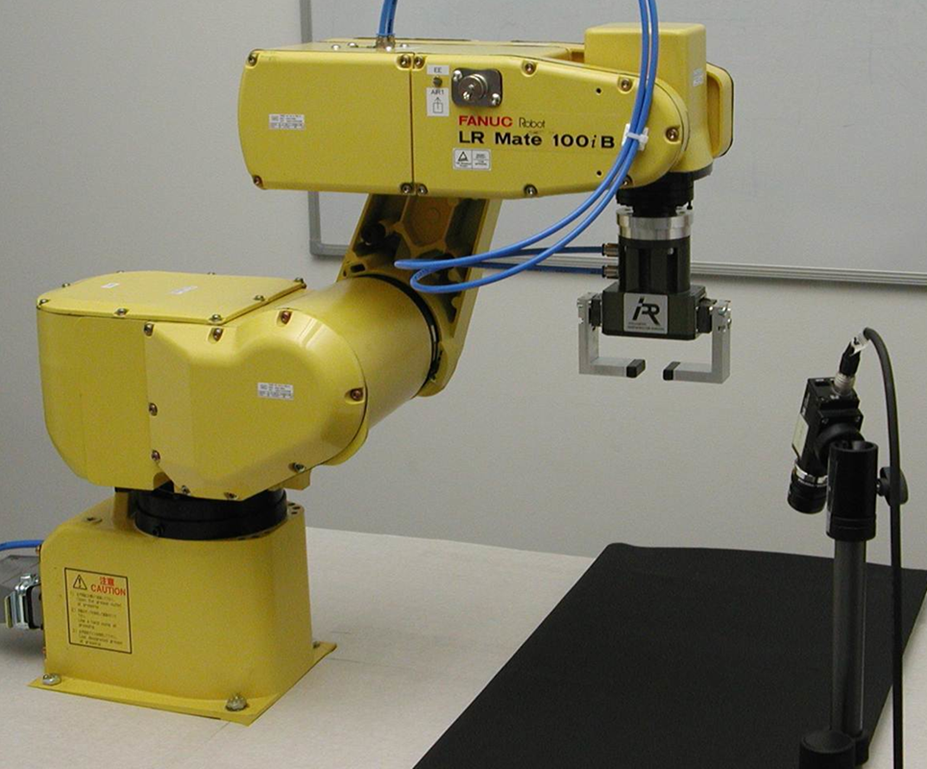
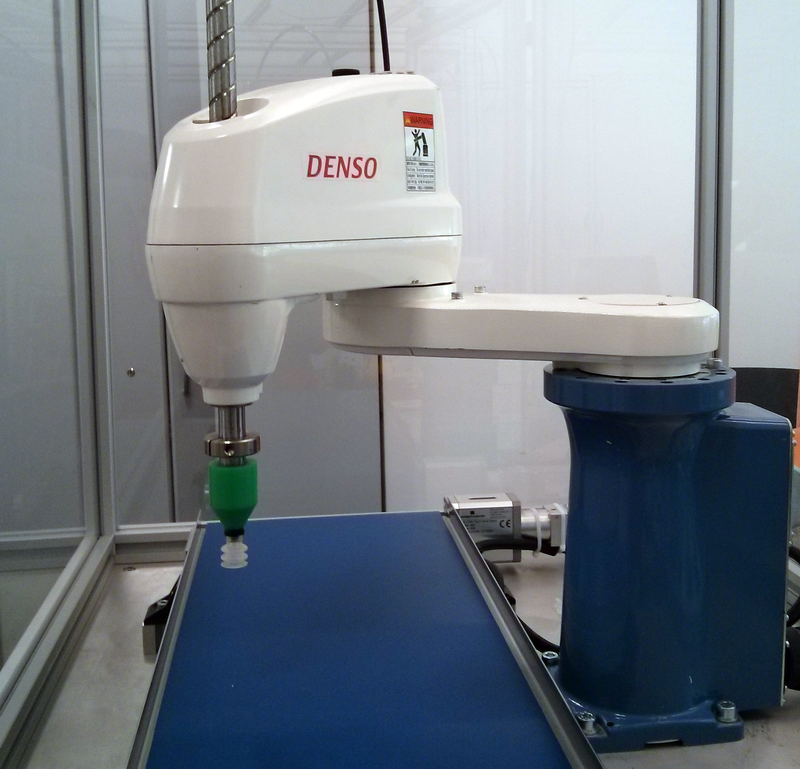
The arm of an articulated robot (see Table 1, left) typically has three rotary joints covering 6 degrees of freedom (3 translations and 3 rotations). In contrast, SCARA (selective compliance articulated robot arm) robots (Table 1, right) have typically three parallel rotary joints and one parallel prismatic joint covering only 4 degrees of freedom (3 translations and 1 rotation).
 |
 |
|---|---|
| Articulated robot | SCARA robot |
Articulated (anthropomorphic) robots can pick up a part, no matter how it is oriented and then insert it into a package that may require a special angle under which it is approached. Therefore, they can be used in a very flexible manner. In contrast, SCARA robots are restricted in their movements. They cannot tilt the tool. But they offer faster and more precise performance. They are best suited for high-speed pick and place, packaging, and assembly applications. Because of their compact structure, SCARA robots are often preferred if only limited space is available.
The hand-eye calibration of articulated robots and of SCARA robots is very similar, with the exceptions that for SCARA robots the camera must be calibrated prior to the actual hand-eye calibration and that it is necessary to resolve one ambiguity by manually moving the tool of the robot to a known position. These points where the calibration of SCARA robots differs from the calibration of articulated robots are the calibration in advance and the determination of the translation in z direction.
Camera and calibration plate vs. 3D sensor and 3D object🔗
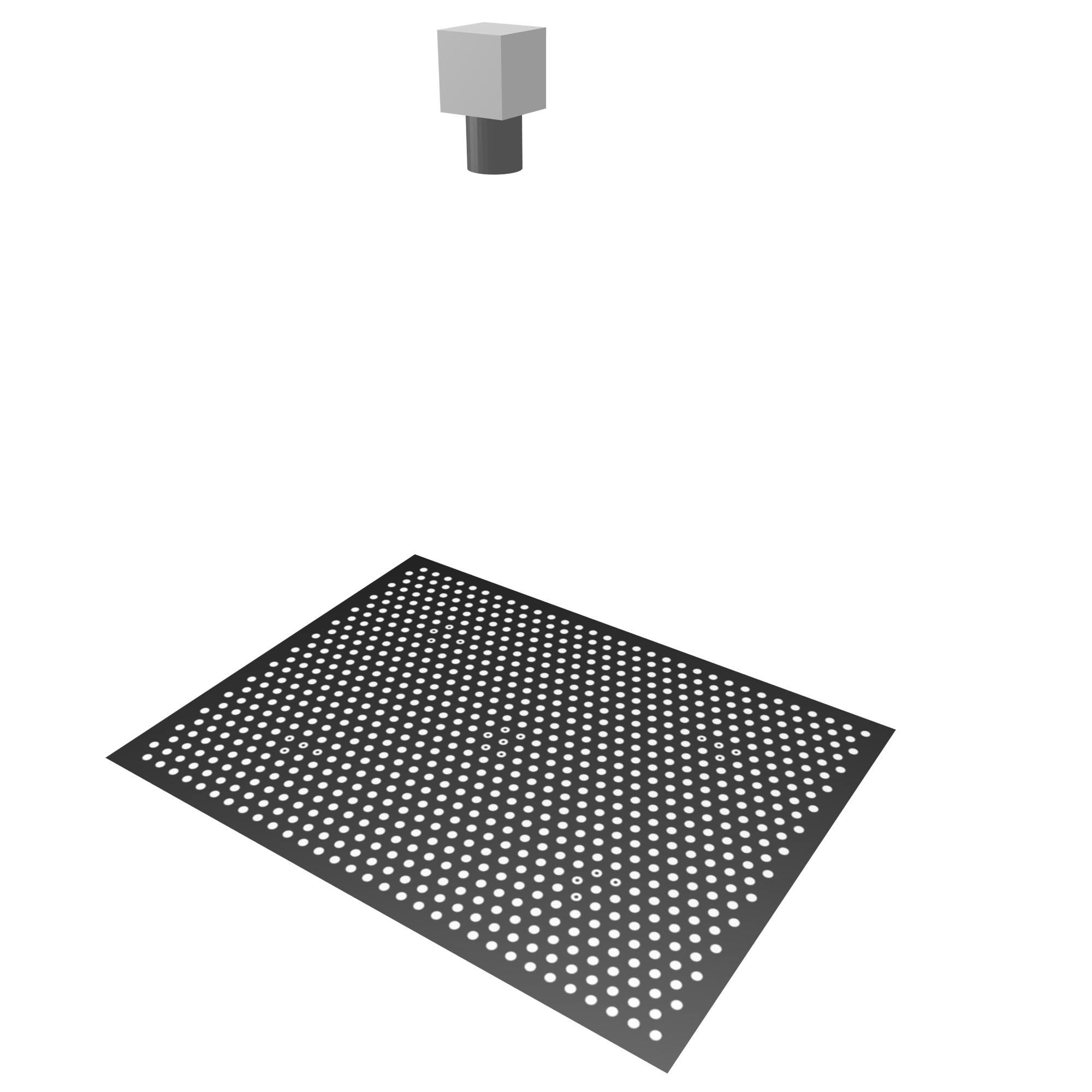
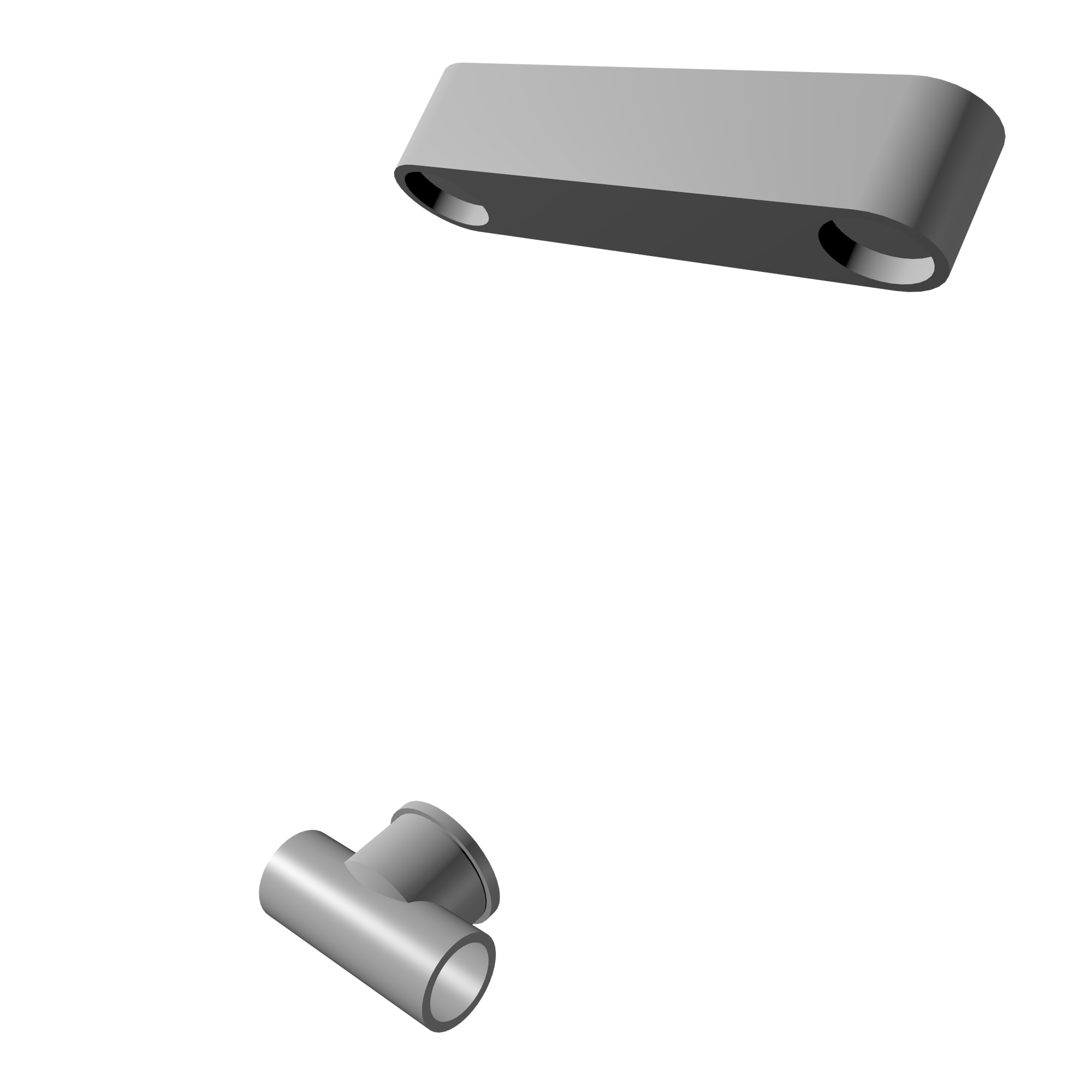
Depending on the application, either an optical camera or a 3D sensor is used to identify the objects and to determine their pose. If a camera is used, for the calibration of the hand-eye system, a calibration plate or calibration object is required (Table 2, left). Note that the automatic detection of the calibration object works only if one of the HALCON calibration plates is used. If a 3D sensor is used (Table 2, right), the pose of known 3D objects can be determined, e.g., with surface-based matching. These poses can then directly be used for the calibration of the hand-eye system.
 |
 |
|---|---|
| Camera with HALCON calibration plate | 3D sensor with 3D object |
Note that, although in the following only systems with a single camera are described, you can of course also use a stereo camera system. By distinctly calibrating the stereo system beforehand you determine the relation between its cameras. In this case, when calibrating your hand-eye system afterwards (with its own calibration model), you typically calibrate only the relation of the robot to one of the cameras.
Moving camera vs. stationary camera🔗
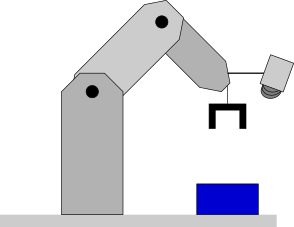
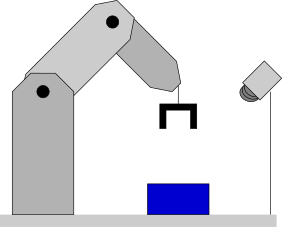
There are two possible scenarios for mounting the camera:
- Moving camera The camera is mounted at the tool and is moved to different positions by the robot.
- Stationary camera The camera is mounted externally and does not move with respect to the robot base.
Table 3 depicts these two scenarios. Note that different poses must be determined by the hand-eye calibration with a moving camera compared to the hand-eye calibration with a stationary camera. In the following, the paragraphs that affect only one of these scenarios are marked respectively.
 |
 |
|---|---|
| Moving camera | Stationary camera |
Note that HALCON’s hand-eye calibration is not restricted to systems with a 'hand', i.e., a manipulator.
You can also use it to calibrate cameras mounted on a pan-tilt head or surveillance cameras that rotate to observe a large area.
Both systems correspond to a camera mounted on a robot; the calibration then allows you to combine visual information from different camera poses.
For the hand-eye calibration with a stationary camera, the example %HALCONEXAMPLES%\hdevelop\Calibration\Hand-Eye\calibrate_hand_eye_stationary_cam_approx.hdev is available, which shows two alternative workflows to perform a hand-eye calibration, either with or without a HALCON calibration plate.
Calibrating the camera in advance vs. calibrating it during hand-eye calibration🔗
For articulated robots that are used together with one camera, it is possible to calibrate the camera together with the hand-eye setup. For SCARA robots and all systems that use stereo or multi-view setups, the camera(s) must be calibrated distinctly in advance.