3D primitives🔗
3D primitives fitting determines amongst others the positions or 3D poses of simple 3D shapes, so-called “3D primitives”, that are fitted into segmented parts of a 3D scene. The 3D scene is a set of 3D points that is available as 3D object model. It can be obtained, for example, by stereo vision or sheet of light.
The available types of 3D primitives comprise a sphere, a cylinder, and a plane. When fitting 3D primitives into the segmented 3D data, the results comprise a radius and position for a sphere, a radius and 3D pose for a cylinder, and a 3D pose for a plane.
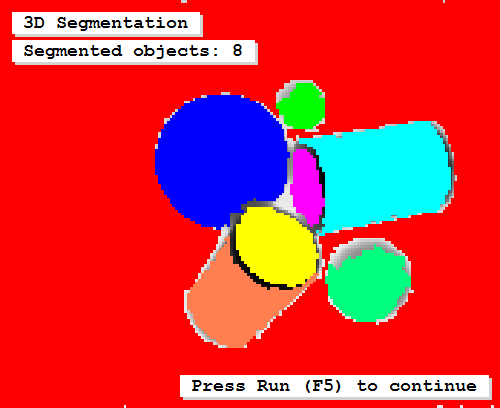 |
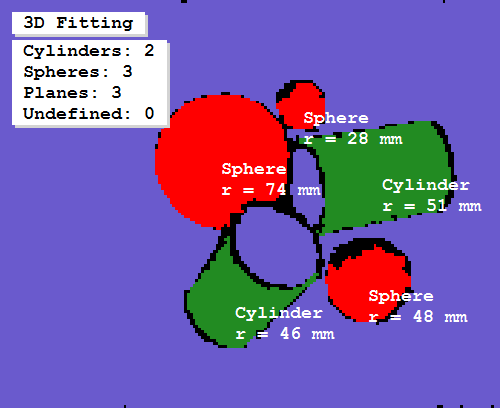 |
|---|---|
| Segmentation of 3D object model | Result of the fitting |
The fitting typically consists of two steps:
-
Segmentation of the 3D scene into sub-sets of neighbored 3D points that may correspond to selected types of 3D primitives (see ).
The segmentation can be applied by different means, depending on the input data.
In any case, the resulting sub-sets of 3D points must be available as 3D object models that contain, at least implicitly, the coordinates of the 3D points and their meshing.
-
The actual fitting (see ).
There, the operator
fit_primitives_object_model_3dtries to find the best fitting 3D primitive for an individual 3D object model.The result is another 3D object model from which the parameters of the successfully fitted primitive can be queried.
An example for a 3D primitives fitting that uses a simple 2D segmentation to derive the 3D object model of a single cylinder from a 3D scene that is provided by X, Y, and Z images is the HDevelop example program %HALCONEXAMPLES%\hdevelop\3D-Tools\3D-Segmentation\fit_primitives_object_model_3d.hdev.
 |
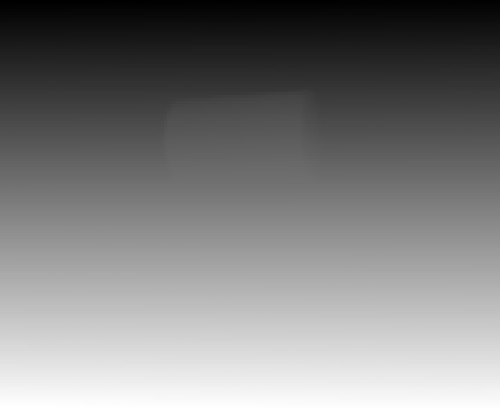 |
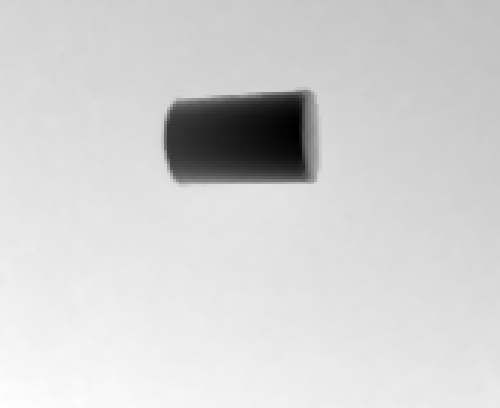 |
|---|---|---|
| X image | Y image | Z image |
The individual channels of the image are accessed with access_channel (see
,
,
).
Then, a threshold is applied to the Z image to separate the cylinder from the background (see
).
The corresponding ROI is created with reduce_domain.
From the reduced image channels, a 3D object model is created using xyz_to_object_model_3d.
read_image (XYZ, '3d_machine_vision/segmentation/3d_primitives_xyz_02.tif')
access_channel (XYZ, X, 1)
access_channel (XYZ, Y, 2)
access_channel (XYZ, Z, 3)
threshold (Z, Region, 0.0, 0.83)
reduce_domain (X, Region, XTmp)
xyz_to_object_model_3d (XTmp, Y, Z, ObjectModel3DID)
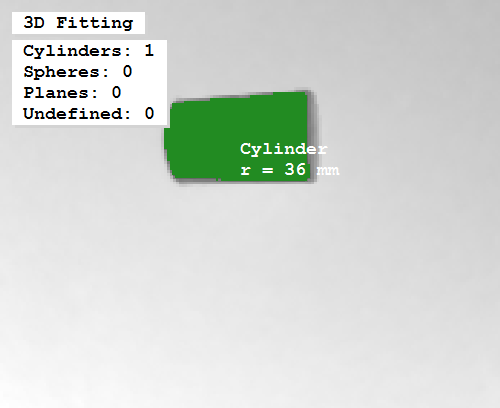
A 3D primitive of the 'primitive_type' 'cylinder' is fitted into the 3D object model using the operator fit_primitives_object_model_3d (see
).
ParFitting := ['primitive_type', 'fitting_algorithm', 'output_xyz_mapping']
ValFitting := ['cylinder', 'least_squares_huber', 'true']
fit_primitives_object_model_3d (ObjectModel3DID, ParFitting, ValFitting, ObjectModel3DOutID)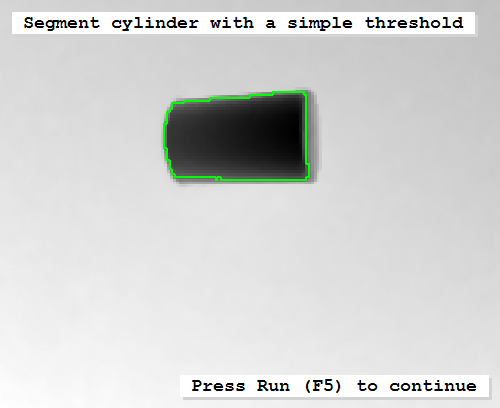 |
 |
|---|---|
| Simple threshold for 2D segmentation | Result of the fitting |
The result of the fitting is a handle for a 3D object model from which information like the primitive’s parameters can be queried with get_object_model_3d_params.
Often, a simple 2D segmentation is not suitable, for example, because the 3D data is not derived from Y, X, and Z images or because the 3D scene consists of several 3D structures that touch or overlap.
Then, a 3D segmentation using the operator segment_object_model_3d has to be applied as is shown in the HDevelop example program %HALCONEXAMPLES%\hdevelop\3D-Object-Model\Segmentation\
segment_object_model_3d.hdev.
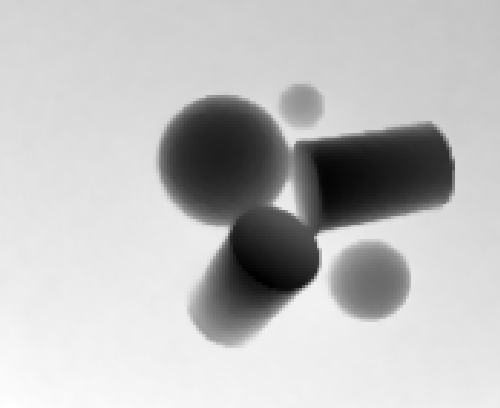
There, the individual objects can not be separated by a simple 2D segmentation, because they overlap (see
,
,
).
The 3D data is accessed again from X, Y, and Z images, but this time, the 3D object model is created without a preceding 2D segmentation.
read_image (XYZ, '3d_machine_vision/segmentation/3d_primitives_xyz_01.tif')
access_channel (XYZ, X, 1)
access_channel (XYZ, Y, 2)
access_channel (XYZ, Z, 3)
xyz_to_object_model_3d (X, Y, Z, ObjectModel3DID) |
 |
 |
|---|---|---|
| X image | Y image | Z image |
Instead, the derived 3D object model is prepared for a 3D segmentation by calling the operator prepare_object_model_3d.
Note
If you do not explicitly prepare the 3D object model, the operator is called internally during the segmentation with segment_object_model_3d, which may slow down the application if the same 3D object model is used several times.
prepare_object_model_3d (ObjectModel3DID, 'segmentation', 'false', 'max_area_holes', 100)The operator segment_object_model_3d segments the 3D object model into different sub-sets of 3D points that have similar characteristics like the same orientation of the normals or the same curvature of the underlying surface.
By default, the operator not only segments the 3D scene but already tries to fit primitives of the selected types into the segments (see
,
).
Thus, no separate calls to fit_primitives_object_model_3d are needed.
Here, 'primitive_type' is set to 'all'.
That is, for each sub-set of 3D points the best fitting type of primitive is returned (see
,
).
ParSegmentation := ['max_orientation_diff', 'max_curvature_diff', 'output_xyz_mapping', 'min_area']
ValSegmentation := [0.13, 0.11, 'true', 150]
ParFitting := ['primitive_type', 'fitting_algorithm']
ValFitting := ['all', 'least_squares_huber']
segment_object_model_3d (ObjectModel3DID, [ParSegmentation,ParFitting], [ValSegmentation,ValFitting], ObjectModel3DOutID)
The result of the combined segmentation and fitting is a tuple of handles for the 3D object models that represent the different sub-sets of 3D points.
From each of these 3D object models, information like the success of the fitting, the primitives’ types, and the primitives’ parameters can be queried with get_object_model_3d_params.
Querying the primitive’s parameters, a tuple is returned.
The size and content of this tuple depends on the type of the primitive. In particular:
-
for a cylinder the tuple contains seven values (three for the position, three for the orientation, and one for the radius),
-
for a sphere it contains four values (three for the position and one for the radius),
-
for a plane it contains again four values (three for the unit normal vector and one for the orthogonal distance of the plane from the origin of the coordinate system).
How to access a single parameter from such a tuple is shown exemplarily for the radius of a cylinder.
for Index := 0 to |ObjectModel3DOutID| - 1 by 1
    get_object_model_3d_params (ObjectModel3DOutID[Index], 'has_primitive_data', HasPrimitiveData)
    if (HasPrimitiveData == 'true')
        get_object_model_3d_params (ObjectModel3DOutID[Index], 'primitive_parameter', PrimitiveParameter)
        get_object_model_3d_params (ObjectModel3DOutID[Index], 'primitive_type', PrimitiveType)
        if (PrimitiveType == 'cylinder')
            RadiusCylinder := PrimitiveParameter[6]
        endif
    endif
endfor